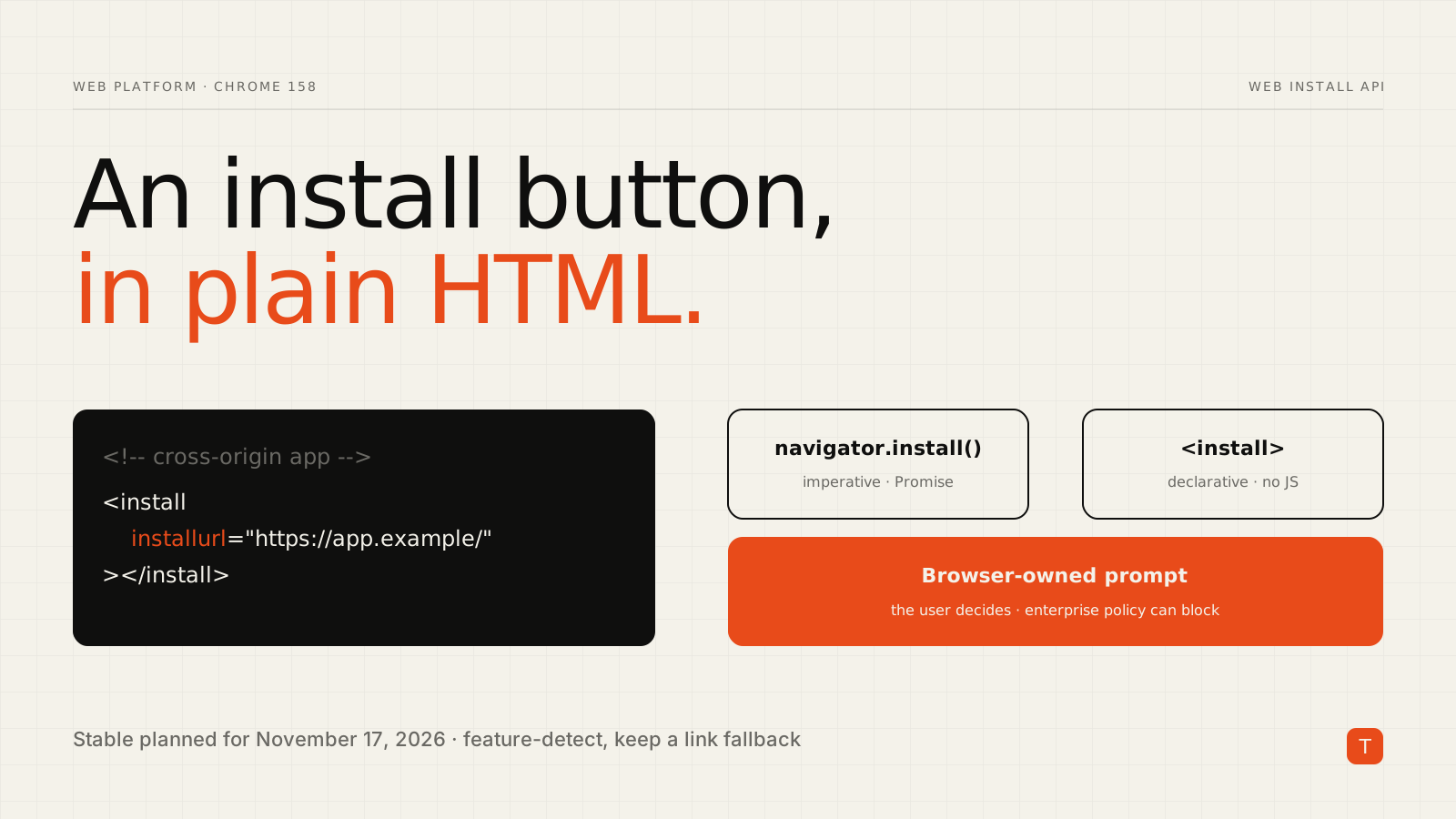
Installing a progressive web app has always been oddly hidden. Users had to notice a small icon in the address bar, or developers had to wire up beforeinstallprompt and hope the browser fired it. Chrome 158, planned for Stable on November 17, 2026, adds a more direct route. According to the Chrome Platform Status release notes, the Web Install API arrives as two pieces launching in parallel: the imperative navigator.install() method and the declarative <install> element.
This post covers what each one does, how to write them correctly, and how to roll them out without breaking anything for users on other browsers.
What the Web Install API actually is
Both entry points ask the browser to run its normal web app installation flow. You supply a manifest location, and optionally a manifest ID. The browser shows the prompt, and the user decides. The page cannot install anything on its own.
Two properties make it different from what came before:
- It works across origins. One site can offer to install a web app hosted on another. A company portal can offer the installable version of a separate product, or a directory can offer apps it lists.
- It does not depend on a browser heuristic. With
beforeinstallprompt, you wait for the browser to decide the page is installable. Here, you ask.
The Chrome for Developers guide to the install element describes the browser-controlled design: the browser owns the button's label, language and appearance, so a click is a trustworthy signal of intent. For navigator.install(), user activation (a click or tap) is the equivalent signal.
The declarative route: the install element
If the current page links a manifest that has an id field, the element needs no attributes:
<install></install>
To offer an app from another origin, point at it with installurl. If that app's manifest has no id, add manifestid:
<install installurl="https://awesome-app.com/"
         manifestid="https://awesome-app.com/?source=pwa">
</install>
The computed ID is visible in DevTools under Application, then Identity, as "Computed App ID".
Content inside the element is shown when the browser does not support it, which gives you a built-in fallback:
<install installurl="https://awesome-app.com/">
  <a href="https://awesome-app.com/">Launch Awesome App</a>
</install>
Feature detection is one line:
if ('HTMLInstallElement' in window) {
  // <install> is supported
}
The element fires events you can use for analytics or UI updates. promptaction means the install succeeded, promptdismiss means the user dismissed the prompt, and validationstatuschanged lets you check e.target.invalidReason === 'install_data_invalid' when the install data is bad.
const el = document.querySelector('install');
el.addEventListener('promptaction', () => track('pwa_installed'));
el.addEventListener('promptdismiss', () => track('pwa_install_dismissed'));
The imperative route: navigator.install()
Use the method when installation is part of a flow you control, such as a button inside a custom onboarding screen. The Microsoft Edge demo shows the three call forms: no arguments to install the current document, one argument for another app's install URL, and two for the install URL plus manifest ID.
async function installApp(installUrl, manifestId) {
  if (!navigator.install) return; // not supported

  try {
    await navigator.install(installUrl, manifestId);
  } catch (err) {
    switch (err.name) {
      case 'AbortError':
        // The operation was aborted
        break;
      case 'DataError':
        // Problem with the manifest file or its ID
        break;
    }
  }
}

document.querySelector('#install-btn').addEventListener('click', () => {
  installApp('https://awesome-app.com/');
});
Call it from a click handler. Because it requires user activation, calling it on page load will not work, and it would be a poor experience even if it did.
Governance: what administrators can control
Cross-origin installation raises an obvious question about abuse, so the controls matter. Per the Intent to Ship discussion, installation needs explicit consent in browser-controlled UI, and the browser can suppress the flow. Enterprises can disable user-initiated installs with the WebAppInstallByUserEnabled policy, or control usage per origin and per iframe with the web-app-installation Permissions Policy.
If you embed third-party content that might use the API, or you ship your own iframes, it is worth checking that policy setting rather than assuming the default.
Browser support and honest caveats
This is a Chromium-led feature. The Intent to Ship thread records WebKit as opposed, on the grounds that installation is a user decision that should begin in browser UI, and Gecko as giving no signal. Treat it as progressive enhancement. The milestone details have also moved around during rollout, with earlier discussions pointing at Chrome 156 and the current release notes at 158, so confirm the status on your target browsers before you promise it to a client.
A rollout plan that holds up:
- Keep your existing install path (
beforeinstallpromptor a plain link to the app) as the default. - Add
<install>with fallback content inside, so unsupported browsers see a normal link. - Gate any
navigator.install()call behind a feature check and a user click. - Handle
AbortErrorandDataErrorquietly. A dismissed prompt is not an error worth surfacing. - Track
promptactionandpromptdismissso you know whether the button is earning its place.
Takeaways
- Chrome 158 adds
<install>andnavigator.install(), both opening the browser's own install prompt, with cross-origin support. - Prefer the element when a button is all you need. It needs no JavaScript and carries its fallback with it.
- Use the method only from a user gesture, and always feature-detect.
- Provide
manifestidwhen the target manifest has noid, and test with the Computed App ID from DevTools. - Do not rely on it for cross-browser behavior yet. Build it as an enhancement over a normal link.
If your product is an installable web app, or you maintain several that should point at each other, this is a small change with an outsized effect on discoverability. We help teams ship and tune web applications like this, and a quick audit of your manifest and install flow is usually an afternoon of work.
Sources: Chrome Platform Status, Chrome 158 release notes; Chrome for Developers, install element; Microsoft Edge Web Install API demo; blink-dev Intent to Ship.