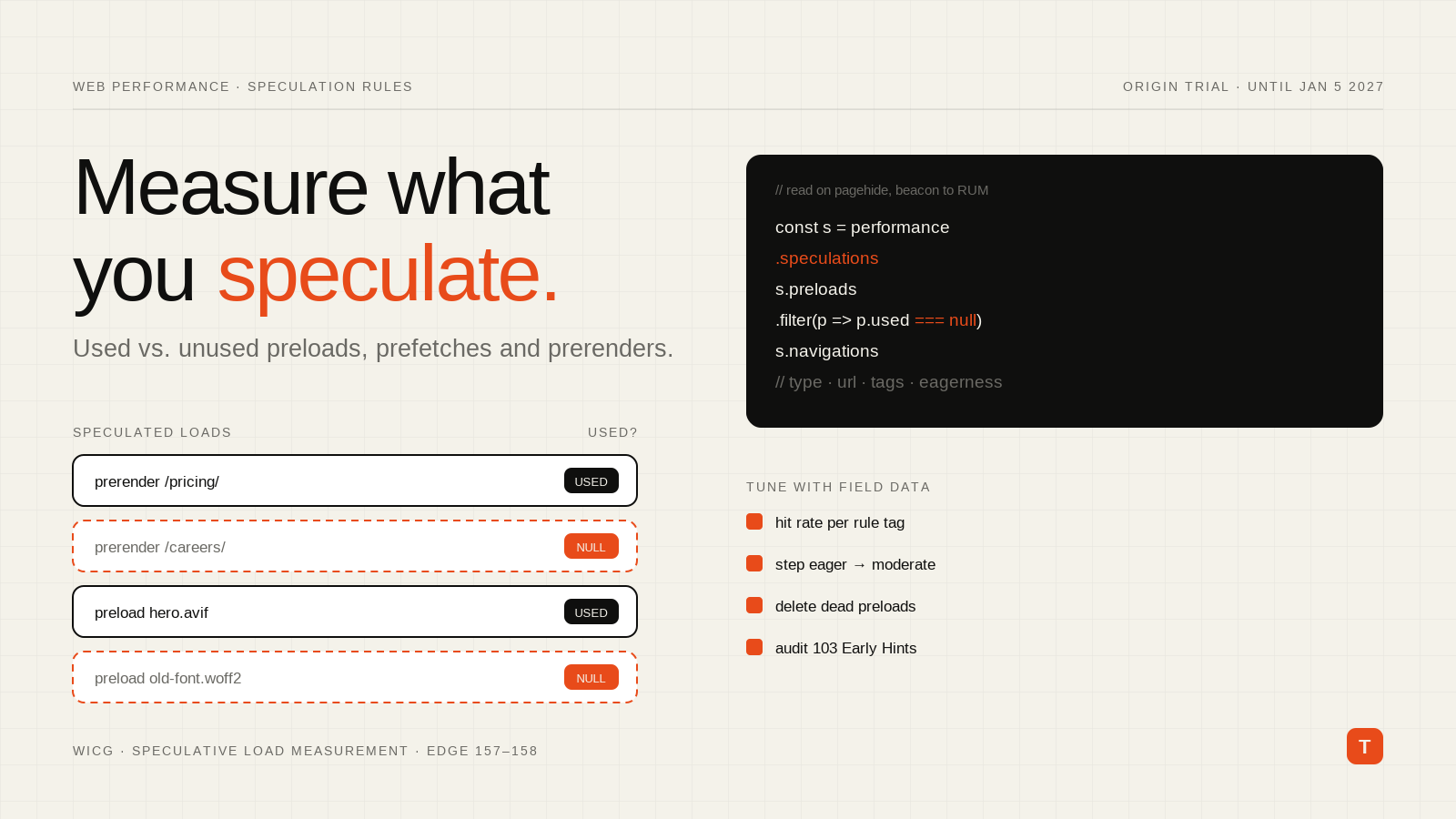
Speculative loading is one of the cheapest ways to make navigations feel instant. Add a speculation rules block, prefetch or prerender the pages users are likely to visit next, sprinkle in a few <link rel="preload"> hints, and LCP on the next page can drop to near zero. The catch has always been the other side of the ledger: every speculation that the user never uses is bandwidth, server load and device work spent for nothing.
Until now, measuring that waste from the client meant stitching together server logs, Sec-Purpose request headers and activationStart timings. A new origin trial aims to give you the answer directly. Microsoft Edge's 157 and 158 web platform release notes list Speculative Load measurement as an origin trial: performance.speculations "exposes data about used and unused preloads, prefetches, and prerenders," so you can measure how effective your speculative loading strategy actually is.
This post covers what the API exposes, how to collect it today, and how to use the numbers to tune your rules.
Why speculation needs a feedback loop
The main knob in speculation rules is eagerness. immediate and eager speculate as soon as the rule matches; moderate waits for a hover or pointer-down signal on desktop; conservative waits for the click itself. Higher eagerness buys more lead time and costs more wasted loads.
Most teams pick a level once, check that Core Web Vitals improved, and never revisit it. That leaves two failure modes invisible:
- Over-speculation. A
prerenderwitheagerness: "eager"on a mega-menu may render dozens of pages for every one the user actually opens. Your origin pays for all of them, and on low-end devices so does the user. - Dead preloads. A
<link rel="preload">for a font or hero image that a redesign stopped using still downloads on every page view, competing with resources that do matter for LCP. Chrome warns about unused preloads in the console, but you rarely look at the console on real user devices.
Field data closes both gaps. That is exactly what this API is for.
What the API exposes
The design lives in the WICG Speculative Load Measurement explainer. The proposed shape returns a snapshot with four parts:
preconnects— entries withorigin,crossoriginandearlyhint.preloads— entries withurl,as,crossorigin,earlyhintandused.usedis the timestamp at which the resource was actually consumed, ornullif it never was.navigations— the speculation rules prefetches and prerenders, each withtype(for example"prefetch","prerender"or"prerender-until-script"),url,tagsandeagerness.navigationDestinationURL— a string the explainer includes alongside the navigation list.
The earlyhint flag matters if you send 103 Early Hints: it lets you tell hints that came from the early response apart from ones declared in the final HTML. The tags field lines up with the tag you can attach to speculation rules, so you can attribute results to a specific rule set rather than lumping everything together.
The explainer is also explicit about what is out of scope: it does not measure subresources fetched as part of a prefetched navigation, and it does not try to detect speculations that failed.
A naming caveat
The explainer's example calls performance.getSpeculations(), while the Edge release notes and origin trial page describe performance.speculations. That is normal for an API at this stage, but it means your collection code should detect both rather than hard-code one. The trial terms also note that the feature may change during the trial, which runs until January 5, 2027.
Collecting it in the field
Register for the trial, then deliver the token like any other origin trial, either as a response header or a meta tag:
<meta http-equiv="origin-trial" content="YOUR_TRIAL_TOKEN">
The natural time to read the data is when the user leaves the page, because that is when you know which preloads were consumed and which speculations were in flight. A defensive collector looks like this:
function readSpeculations() {
  const perf = performance;
  if (typeof perf.getSpeculations === 'function') return perf.getSpeculations();
  if (perf.speculations) return perf.speculations;
  return null; // not supported or not enrolled in the trial
}

addEventListener('pagehide', () => {
  const data = readSpeculations();
  if (!data) return;

  const preloads = data.preloads ?? [];
  const navigations = data.navigations ?? [];

  const payload = {
    page: location.pathname,
    preloadsTotal: preloads.length,
    preloadsUnused: preloads
      .filter((p) => p.used === null)
      .map((p) => ({ url: p.url, as: p.as, earlyhint: p.earlyhint })),
    speculations: navigations.map((n) => ({
      type: n.type,
      url: n.url,
      eagerness: n.eagerness,
      tags: n.tags,
    })),
    destination: data.navigationDestinationURL ?? null,
  };

  navigator.sendBeacon('/rum/speculations', JSON.stringify(payload));
});
A few practical notes:
- Use
pagehide, notunload. Chrome is deprecatingunload, andpagehidestays compatible with the back/forward cache. sendBeacon(orfetchwithkeepalive: true, which the explainer's own example uses) survives the page being torn down.- Strip query strings from URLs before sending if they can contain anything user-specific.
- Sample. You do not need this from every page view to see the pattern.
Turning numbers into decisions
Once the data is flowing, a handful of ratios tell you most of what you need.
Hit rate per rule
Group speculations by tags and eagerness, then compare the speculated URLs against where users actually went next. You already have the second half in your analytics: the next page view in the session, or the prerendered page's own activationStart beacon. A prerendered page that was activated reports a non-zero activationStart on its navigation entry:
const nav = performance.getEntriesByType('navigation')[0];
const wasPrerendered = nav && nav.activationStart > 0;
If an eager prerender rule has a low hit rate, step it down to moderate and watch whether LCP on the destination pages actually moves. Often it does not, because the hover signal already gives enough lead time.
Unused preload list
Rank unused preloads by frequency across pages. Anything that appears near the top is a hint to delete or move to the template that really uses it. This is one of the easiest LCP wins available, since a wasted preload competes for bandwidth with the LCP image during the most contended part of the load.
Early Hints quality
If you send 103 Early Hints, split unused preloads by earlyhint. Hints generated automatically by a CDN from previous responses can drift from what the page needs; this makes that drift visible.
Cost ceiling
Multiply speculated-but-unused navigations by your average page weight and request cost. That gives product and infrastructure teams a concrete number to weigh against the latency gain, instead of an argument about whether prerendering is "worth it."
Where this fits with other measurement
This API is not the only piece Edge is trialing around speculation. The same release notes list origin trials to control the viewport heuristics speculation rules use, and a PrefetchAndPrerenderActivationBeacon to reliably report when a prefetched or prerendered page is activated. Together they point toward a loop where you can both tune speculation and measure the result from the field.
Keep the existing signals too. Server-side, prefetch and prerender requests carry the Sec-Purpose header, which lets you count speculative load on your origin regardless of browser support. Client-side, activationStart remains the reliable way to tell whether a page view started from a prerender.
Takeaways
- Speculative loading has a cost side that most teams never measure. Speculative Load Measurement is a direct way to see it.
- Enroll in the origin trial on a few high-traffic templates, collect on
pagehide, and sample. - Detect both
performance.getSpeculations()andperformance.speculations, since the name may still change. - Use the data to tune
eagernessper rule, delete dead preloads, and audit Early Hints. - Keep
Sec-Purposeserver logs andactivationStartas your baseline, since those work everywhere today.
If you are rolling out speculation rules on a production site and want help setting up the measurement side, that is the kind of performance work we do for clients.